Overview
Welcome to GoldJewellers! This comprehensive guide will walk you through setting up your jeweller account step-by-step, from initial registration to your first product listing.
Tip: Complete profiles receive 5x more customer inquiries than incomplete ones. Take time to fill in all details!
Before You Start
Make sure you have the following documents ready:
| Document | Purpose | Format |
|---|---|---|
| GST Certificate | Business verification | PDF/Image |
| Business Registration | Legal entity proof | PDF/Image |
| PAN Card | Tax identification | PDF/Image |
| Store Photos | Profile appearance | JPG/PNG |
| Product Images | Catalog setup | JPG/PNG |
Step-by-Step Account Setup
Step 1: Registration
- Visit GoldJewellers.com
- Click Register as Jeweller button
- Fill in your basic details:
- Full Name
- Email Address
- Mobile Number
- Password
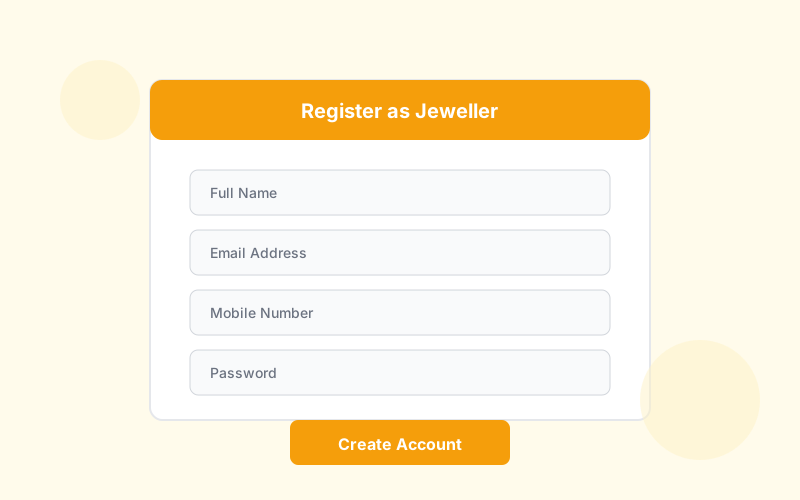 Registration Form
Important: Use a business email address for better credibility. Avoid personal Gmail/Yahoo addresses if possible.
Step 2: Business Information
After email verification, complete your business profile:
| Field | Description | Example |
|---|---|---|
| Business Name | Legal registered name | "Sharma Gold House Pvt Ltd" |
| Brand Name | Display name for customers | "Sharma Jewellers" |
| Business Type | Manufacturer, Retailer, or Both | Retailer |
| Year Established | When you started business | 1985 |
| GST Number | Your GST registration | 27AABCS1429B1ZX |
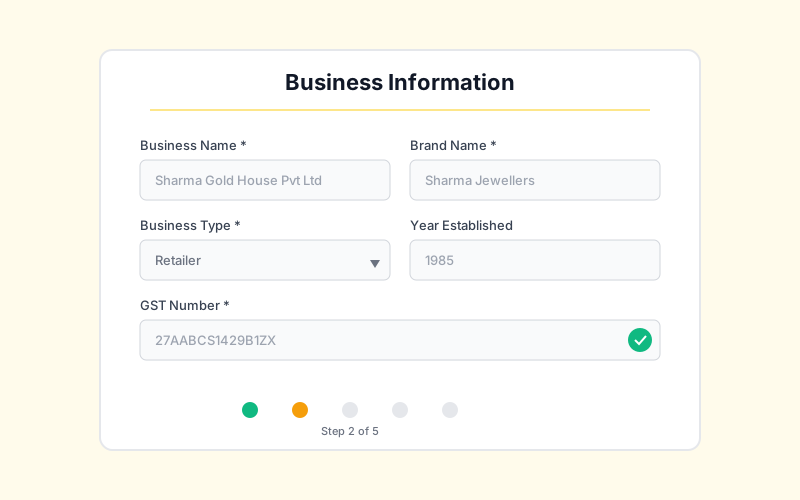 Business Information Form
Step 3: Upload Verification Documents
Submit the following for verification:
- GST Certificate - Required for all businesses
- Business Registration - Shop Act/Partnership Deed/Incorporation Certificate
- PAN Card - Business PAN preferred
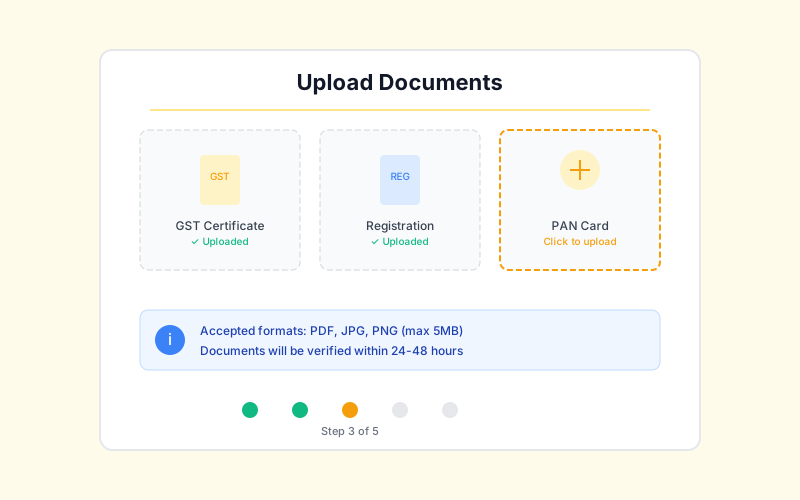 Document Upload
Note: Our team reviews documents within 24-48 hours. You'll receive email notification once approved.
Step 4: Complete Your Profile
While waiting for verification, complete your profile:
Brand Logo
- Minimum size: 400x400 pixels
- Format: PNG with transparent background preferred
- Square aspect ratio works best
Cover Image
- Minimum size: 1200x400 pixels
- Showcase your best collection or storefront
About Your Business Write a compelling description including:
- Years of experience
- Specializations (bridal, daily wear, custom)
- Unique selling points
- Awards or certifications
 Profile Setup
Step 5: Add Your First Store
Every jeweller needs at least one store location:
- Go to Dashboard > Stores
- Click Add Store
- Enter store details:
- Store name and address
- Contact numbers
- Operating hours
- Store photos (minimum 3)
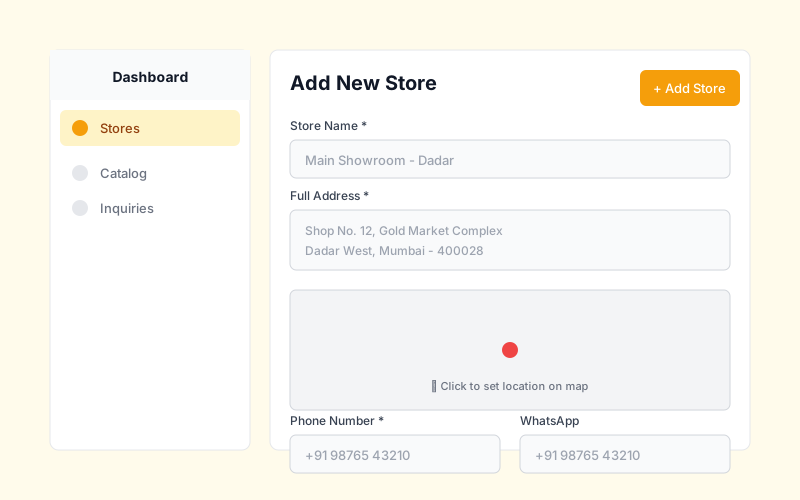 Add Store
Pro Tip: Add your Google Maps location to appear in "Stores Near Me" searches.
Step 6: Set Up Your Catalog
Start adding products to attract customers:
- Go to Dashboard > Catalog
- Click Add Product
- Fill in:
- Product name and description
- Category and type
- Materials (gold purity, weight)
- Pricing information
- High-quality images (minimum 3)
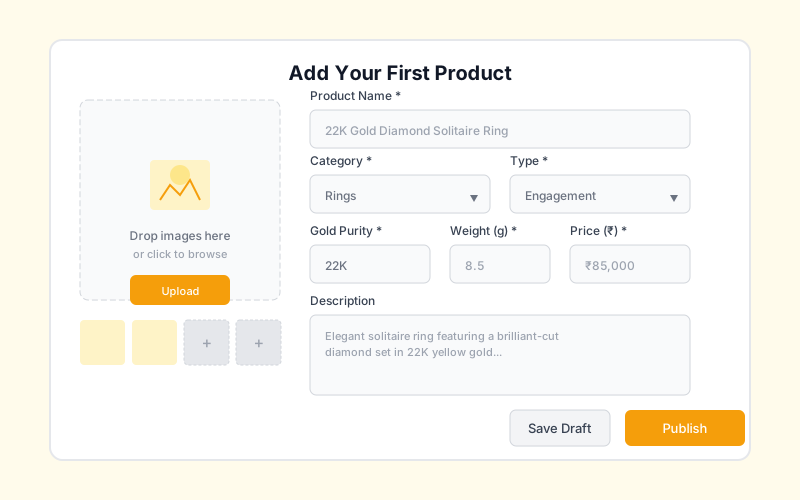 Add Product
Step 7: Choose a Subscription Plan
Select a plan that fits your business:
| Feature | Starter | Professional | Enterprise |
|---|---|---|---|
| Products | 50 | 500 | Unlimited |
| Stores | 1 | 3 | Unlimited |
| Team Members | 2 | 5 | Unlimited |
| Analytics | Basic | Advanced | Premium |
| Support | Priority | Dedicated |
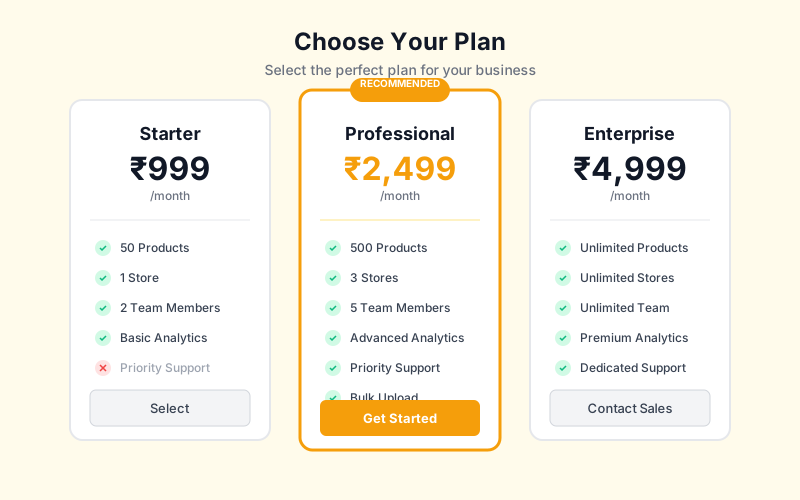 Choose Plan
Account Verification Status
Verification Stages
- Pending - Documents submitted, awaiting review
- Under Review - Our team is checking documents
- Approved - You're verified and live!
- Requires Update - Additional information needed
If Verification is Delayed
- Check email for any requests from our team
- Ensure all documents are clear and readable
- Contact support if waiting more than 48 hours
Quick Checklist
Use this checklist to ensure you've completed everything:
- Email verified
- Business information filled
- Documents uploaded
- Profile photo and cover added
- Business description written
- At least one store added
- Store hours set
- First product added
- Subscription plan selected
Best Practices
Do's ✅
- Use high-quality, professional images
- Keep business information up-to-date
- Respond to inquiries within 2 hours
- Add complete product specifications
- Enable WhatsApp for instant communication
Don'ts ❌
- Don't use stock photos for your products
- Don't leave profile sections incomplete
- Don't ignore customer inquiries
- Don't forget to update store hours for holidays
- Don't use misleading business information
Troubleshooting
Can't receive verification email?
- Check your spam/junk folder
- Add noreply@goldjewellers.com to contacts
- Try resending verification email
- Contact support if issue persists
Document upload failing?
- Ensure file is under 5MB
- Use JPG, PNG, or PDF format
- Check internet connection
- Try a different browser
Store not showing on platform?
- Verify store is set to "Published"
- Ensure address is complete
- Check that operating hours are set
- Wait 24 hours for indexing
Products not appearing in search?
- Ensure products are marked "Published"
- Add relevant categories and tags
- Include searchable keywords in title
- Allow 5-10 minutes for search indexing
What's Next?
After completing setup:
- Add More Products - Build your catalog
- Photography Tips - Take better product photos
- Respond to Inquiries - Convert leads to sales
- Run Promotions - Boost your visibility
Need Help?
Our support team is here to assist you:
- Email: support@goldjewellers.com
- Phone: 1800-XXX-XXXX (Mon-Sat, 10 AM - 7 PM)
- Live Chat: Available on dashboard